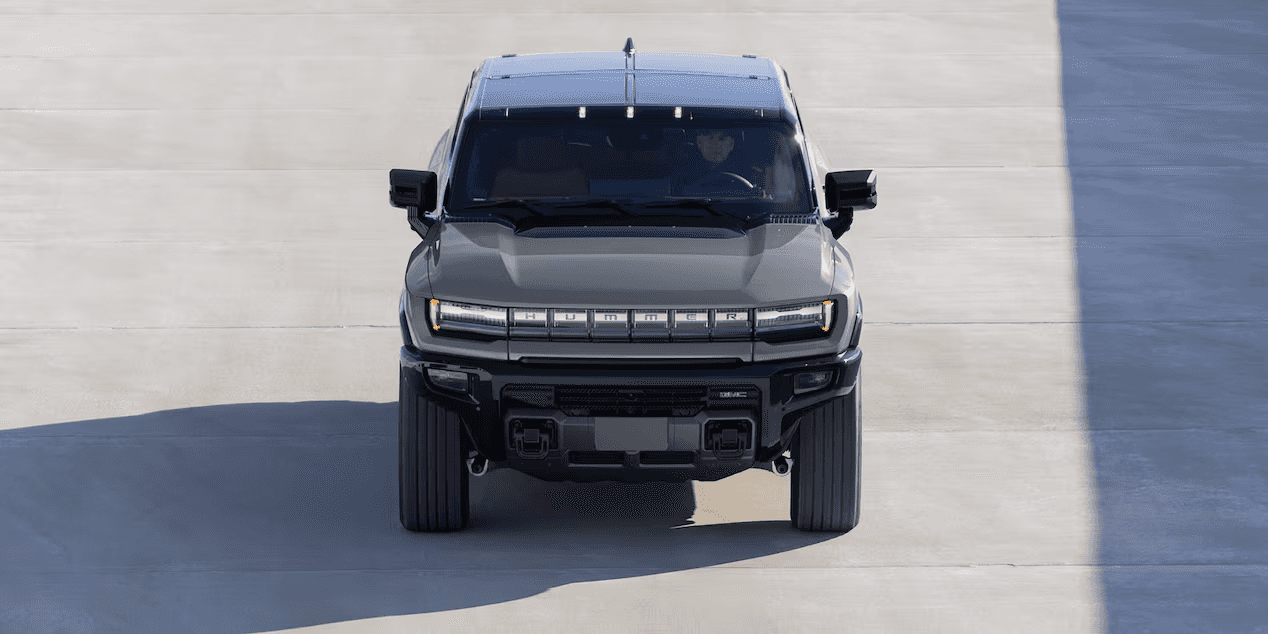
What is the GMC HUMMER EV CrabWalk?

GMC HUMMER EV

The GMC HUMMER is legendary for its size, power, performance, and capabilities. The newly released GMC HUMMER EV represents the next pinnacle in this vaunted brand. Loaded with high-tech features, one of the most astonishing is, without a doubt, CrabWalk Mode.

But just what is GMC HUMMER EV CrabWalk Mode, and how can you use it on Henrico streets or Glen Allen trails? The experts at Rick Hendrick Buick GMC Richmond will outline the capabilities of this impressive feature below.

How HUMMER EV CrabWalk Works

CrabWalk Mode takes advantage of a four-wheel steering system that allows each wheel to align itself, independent of the others. The overall goal of the HUMMER EV CrabWalk Mode is to make it easier to get in and out of tight spaces, like when trying to park or navigating narrow, twisting passages when offroading. This is perfect when trying to parallel park.

HUMMER EV CrabWalk works when the vehicle is stationary or going less than 1.2 mph. Then, all four wheels pivot in the same direction by up to 10 degrees. Then, the wheels turn to move the vehicle a few feet diagonally. This keeps the driver from needing to perform a multi-point turn to get around an obstacle. When you engage CrabWalk Mode, the vehicle’s computer adjusts the wheels automatically.

How to Turn HUMMER EV CrabWalk On

There are a few steps to engaging CrabWalk Mode on your GMC HUMMER EV.

  1. Make sure your GMC HUMMER EV is stationary or going 1.2 mph or slower.
  2. Center the steering wheel and find the Driver Mode Control dial on the center console.
  3. Hold down the 4-Wheel Steer button on the left side (9 o’clock) of the Driver Mode Control dial for 6 seconds or until the CrabWalk animation on the central infotainment screen is complete.
  4. Release the button.

When the 4-Wheel Steer button is released, your vehicle’s HD Surround Vision will appear on the central infotainment screen. You’ll see an orange crab symbol in the lower right corner of the Driver Display to confirm CrabWalk is engaged.

When CrabWalk is engaged, all four wheels will turn up to 10 degrees in either direction, allowing for diagonal movement to the left or right. At this point, you can drive as fast as 20 mph in CrabWalk Mode. Any speeds above 20 mph will cause the wheels to turn at less of an angle.

How to Turn HUMMER EV CrabWalk Off

You can disengage HUMMER EV CrabWalk one of two ways:

  1. Center the steering wheel and keep your vehicle still. Then, push the 4-Wheel Steering icon on the Driver Mode Selector.
  2. Drive above 25 mph for 10 seconds. Your vehicle will automatically disengage CrabWalk Mode.

Be aware that some functions will not work in CrabWalk Mode, such as Lane Keep Assist, Transparent Trailer, Articulation Angle Indicator, and Jackknife Alert.

Ready for More From Your GMC HUMMER EV?

Experience what it’s like driving one of the most advanced utility vehicles in the world on the streets of Goochland at Rick Hendrick Buick GMC Richmond. In the meantime, contact us or call (844) 415-1110 with any questions. We’re happy to help in any way we can. You can also research how GMC is taking driving to new heights before new GMC HUMMER EVs arrive on our lot. We look forward to hearing from you.


More from Rick Hendrick Buick GMC Richmond

    Hendrick Vehicle Disclaimer:
    $899 Dealer Processing Fee included in advertised price.

    All prices exclude all taxes, tag, title, registration fees, government fees and electronic filing fee. Out of state buyers are responsible for all taxes and government fees and title/registration fees in the state where the vehicle will be registered. All prices include all manufacturer to dealer incentives, which the dealer retains unless otherwise specifically provided. Dealer not responsible for errors and omissions; all offers subject to change without notice; please confirm listings with dealer.

    All vehicles may not be physically located at this dealership but may be available for delivery through this location. Transportation charges may apply. Please contact the dealership for more specific information. All vehicles are subject to prior sale.

    Additional Disclaimers:


    Well-qualified customers who purchase a new, used, or certified pre-owned vehicle, 4 model years or newer with less than 60K miles between September 1, 2026 and November 2, 2026, and finance through a participating dealer and lender have the option to defer monthly payments for 120 days from contract date. Excludes Hendrick Performance vehicles. Finance charges begin to accrue on the date you sign the Retail Installment Sale Contract at the Annual Percentage Rate (APR) disclosed in the contract. May not be combined with other preferred lender financing offers. 75 months maximum term limit. Equal monthly payments only. Not available to Pennsylvania residents; see your dealer for details. Must take retail delivery by November 2, 2026. See dealer for complete down payment and interest rate options and details. Financing available to qualified buyers. Some exclusions apply. See dealer for complete details. 

    *Offer includes all dealer discounts and OEM incentives. Offer does not include tax, tag, title, fees, and other dealer installed options. Discount varies by model and stock number. Example stock #T29262. See dealer for details. Take retail delivery by 11/2/26. **Monthly payment is $16.67 for every $1,000 you finance. Average example down payment is 10.3%. Must finance through GM Financial. Some customers may not qualify. Not available with lease and some other offers. Take new retail delivery by 11/2/26. ***Deferred monthly payments for 92 days. Must finance with GM Financial. Some customers may not qualify. Down payment required at signing, if applicable. Finance charges accrue from date of financing. Not available with lease and some other offers. Take new retail delivery by 11/2/26.

    *Offer includes all dealer discounts and OEM incentives. Offer does not include tax, tag, title, fees, and other dealer installed options. Discount varies by model and stock number. Example stock #DT29389. See dealer for details. Take retail delivery by 11/2/26. **Monthly payment is $17.48 for every $1,000 you finance. Average example down payment is 17.6%. Must finance through GM Financial. Some customers may not qualify. Not available with lease and some other offers. Take new retail delivery by 11/2/26. ***Deferred monthly payments for 92 days. Excludes residents of PA. Must finance with GM Financial. Some customers may not qualify. Down payment required at signing, if applicable. Finance charges accrue from date of financing. Not available with lease and some other offers. Take new retail delivery by 11/2/26.

    *Offer includes all dealer discounts and OEM incentives. Offer does not include tax, tag, title, fees, and other dealer installed options. Discount varies by model and stock number. Example stock #T29262. See dealer for details. Take retail delivery by 11/2/26. **Monthly payment is $16.67 for every $1,000 you finance. Average example down payment is 10.3%. Must finance through GM Financial. Some customers may not qualify. Not available with lease and some other offers. Take new retail delivery by 11/2/26. ***Deferred monthly payments for 92 days. Must finance with GM Financial. Some customers may not qualify. Down payment required at signing, if applicable. Finance charges accrue from date of financing. Not available with lease and some other offers. Take new retail delivery by 11/2/26.

    Connect With Us

    Menu

    Get Directions

    12050 W Broad St, Richmond, VA, 23233
    Rick Hendrick Buick GMC Richmond 37.6588, -77.6309.
    window.addEventListener("load", function () { // Add "openXtime" class to buttons with Schedule Service text or href ending var links = Array.from(document.querySelectorAll('a')).filter(function(link) { return link.href.endsWith("/schedule-service/") || link.textContent.toLowerCase().includes("schedule service"); }); links.forEach(function(link) { link.classList.add("openXtime"); link.addEventListener("click", function(event) { event.preventDefault(); if (window.xtime && typeof window.xtime.showC8Modal === "function") { window.xtime.showC8Modal(true); } }); }); // Check for URL parameter or path to auto-open service modal function checkAndOpenServiceModal() { var shouldOpen = false; var urlParams = new URLSearchParams(window.location.search); var intsrc = urlParams.get('intsrc'); var currentPath = window.location.pathname; // Check if URL parameter is present if (intsrc === 'tcom:maps:dealervisit:service') { shouldOpen = true; } // OR check if we're on the schedule-service page else if (currentPath.includes('/schedule-service/') || currentPath.includes('/service/schedule-service/')) { shouldOpen = true; } if (shouldOpen) { // Function to attempt opening the modal function attemptOpenModal() { if (window.xtime && typeof window.xtime.showC8Modal === "function") { window.xtime.showC8Modal(true); return true; // Successfully opened } return false; // xtime not ready yet } // Try immediately if (attemptOpenModal()) { return; // Success! } // If not ready, set up retry mechanism var attempts = 0; var maxAttempts = 50; // Try for up to 5 seconds (50 * 100ms) var retryInterval = setInterval(function() { attempts++; if (attemptOpenModal() || attempts >= maxAttempts) { clearInterval(retryInterval); } }, 100); } } // Check URL parameter/path on page load checkAndOpenServiceModal(); });